Why I get stuck on the progress bar?
Control MacOS and stuck on 75% or 100%
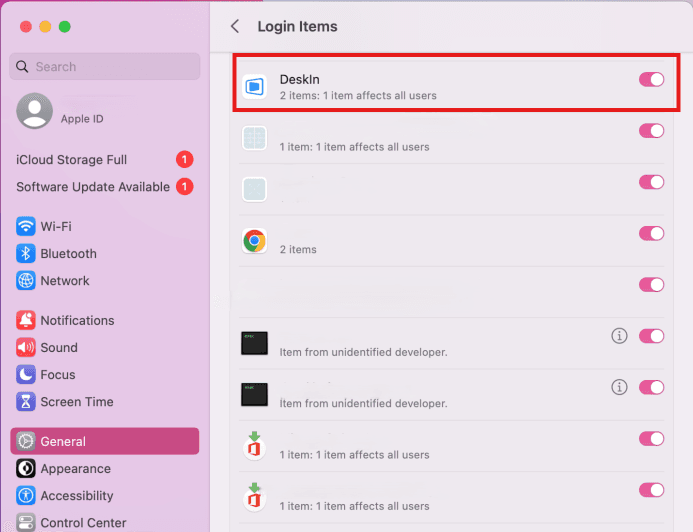
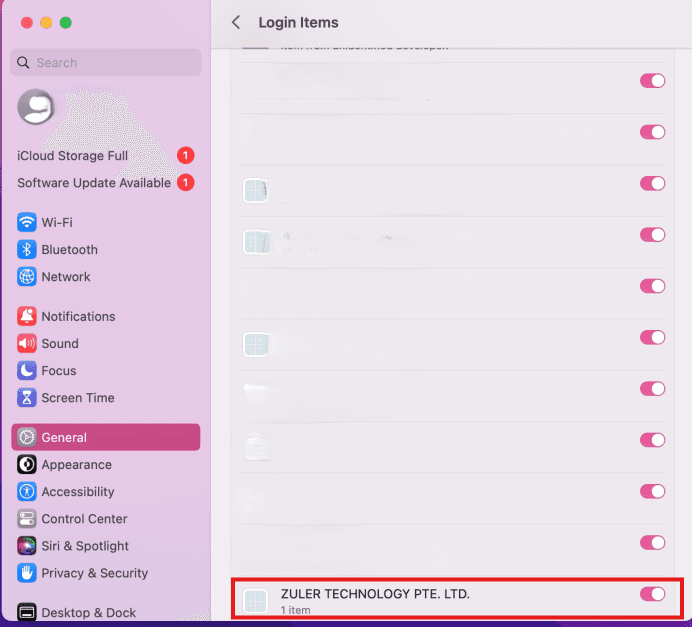
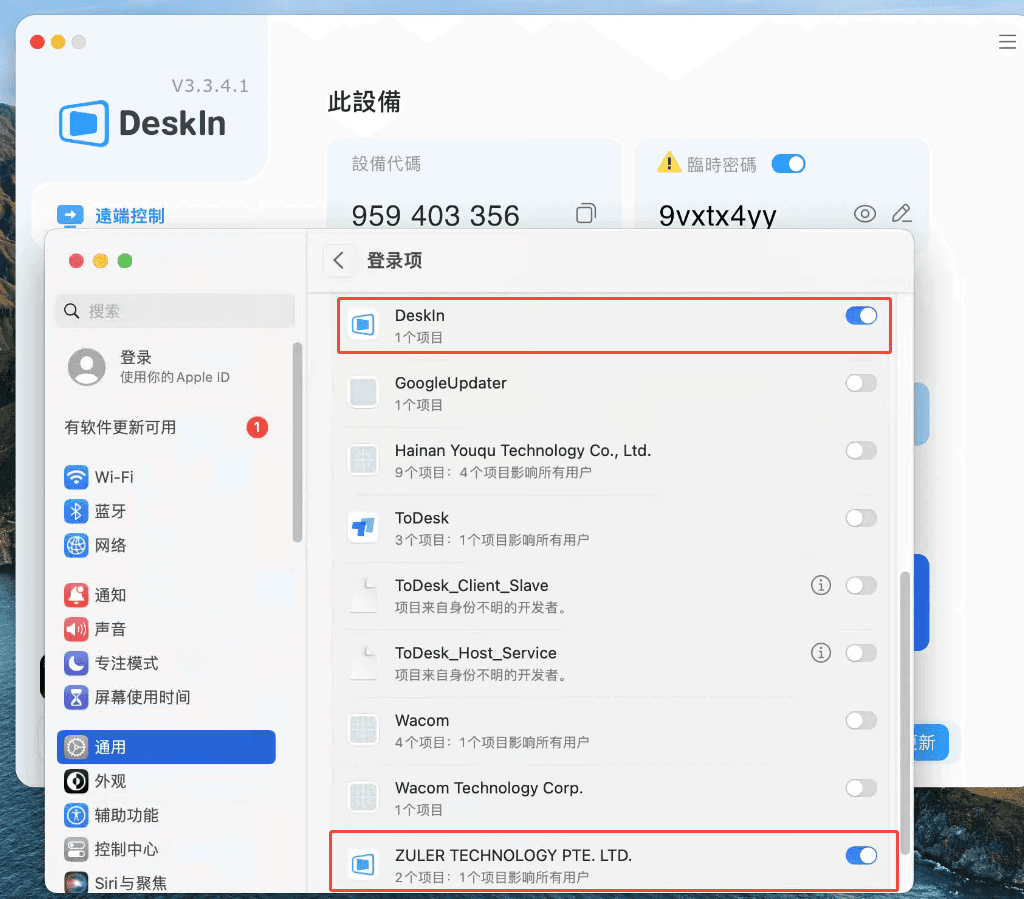
If you are controlling MacOS and get stuck on 75% or 100% of the connection progress bar, please refer to the attached image and enable the two settings shown in the picture, then try connecting again.
1. In your General setting > Login Items, enable "DeskIn".
2. In your General setting > Login Items, enable "ZULER TECHNOLOGY PTE, LTD".
(In chinese)
Other conditions
If the problem persists or your controlled device is Windows, please provide Log File of both your local and remote device and send them to support@deskin.io. Here is how you find the logs:
Mobile device
All you need to do is upload the logs on app and email us your device ID: Go to DeskIn Settings>>Settings>>About Us>>Upload Logs
Windows
Find the following 2 log files and send them to support@deskin.io:
C:\Users\admin\AppData\Local\DeskIn\Logs
Right-click the DeskIn logo on the desktop>>Open the file location >> Logs.
Macbook
Please find the following log file and send it to support@deskin.io:
/Applications/Deskln.app/Contents/Logs


